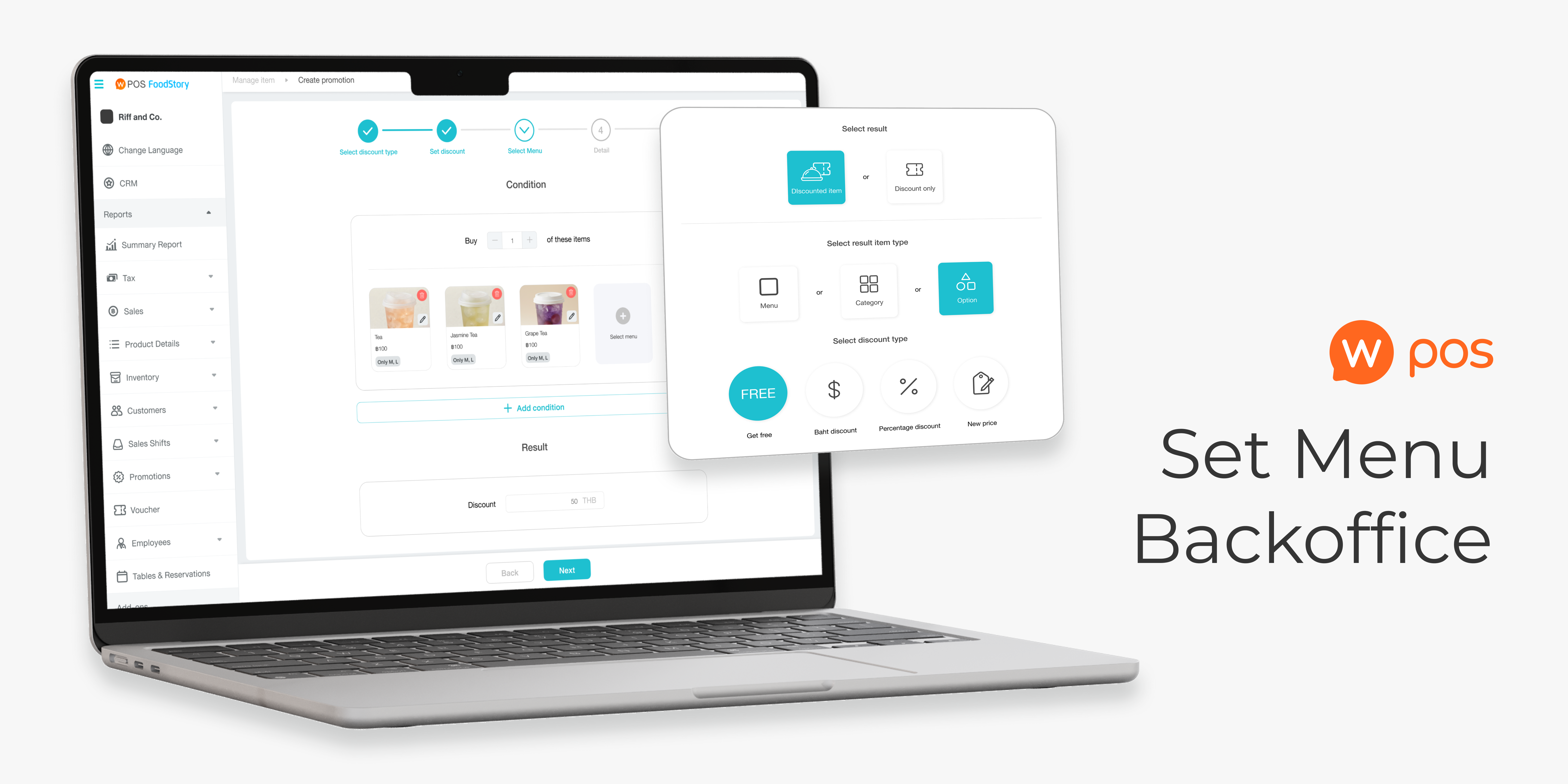

A feature targeting beverage merchants who offer set menu promotions. Design an end-to-end bundle promotion flow across 3 platforms: back-office desktop web and POS compatible with both iPad and Android.
PART 01
This part shows how a full feature scope was reduced to an MVP but still satisfied merchant requirements in a limited time and effort.
160 branches top-chained merchants acquired upon launch, accounting for more than 60% usage proportion compared to other promotion types within 2 months.
However, 3 out of 9 interviewees didn’t actually match the criteria due to miscommunication.
We didn’t do the user interview due to limitation of time, which I regret not doing so since we lose chance to gain more insight
DISCOVERY AND DEFINE
A set menu is one of the most common promotions in quick-service beverage restaurants; for example, buy 2 drinks as a bundle to get a special price. Mostly, these merchants have several branches, which means we can earn more revenue if we can acquire these brands.
We see this as an opportunity to acquire them by launching a set menu promotion, which was still unsupported at the time. There was a commitment with a top-chain merchant that they would switch to our POS product if we successfully shipped this feature.
Merchants use Web Owner, a desktop website, to manage back-office tasks, including creating promotions.
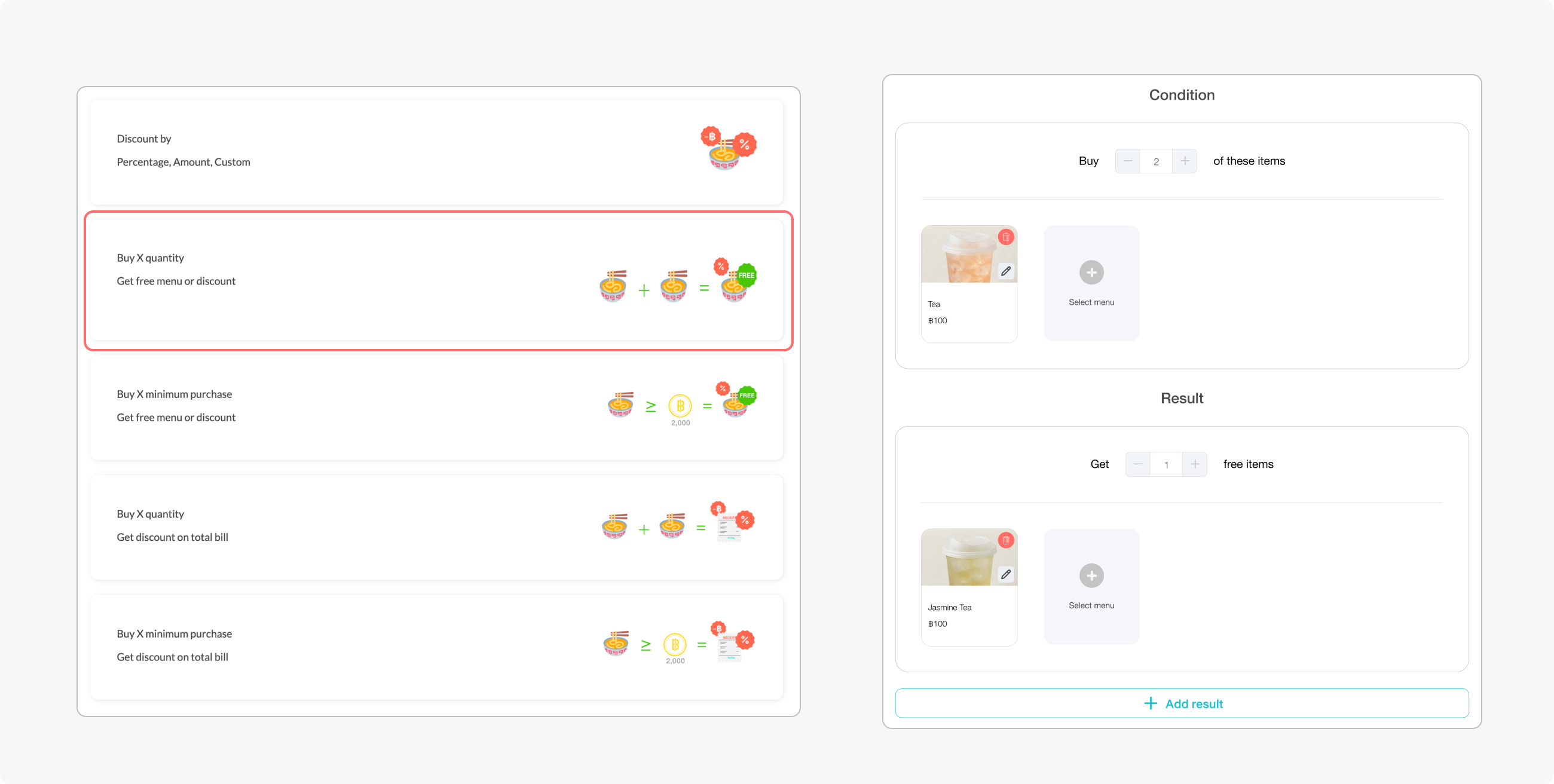
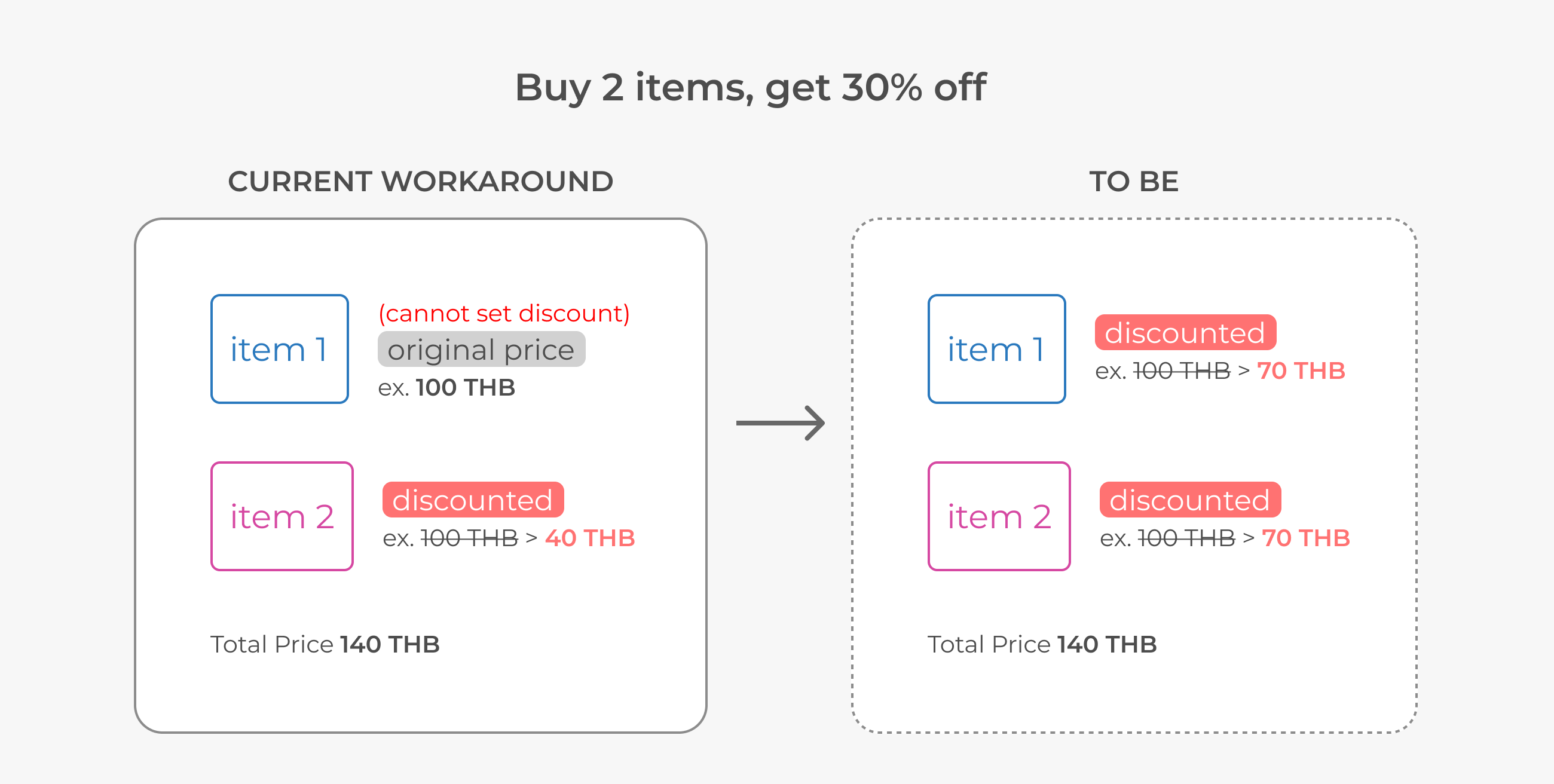
The current workaround for creating a bundle is to use the ‘Buy X get discount’ promo type. The problem was that the discount is applied to ‘one’ item only, not divided across all items, which may lead to inaccurate pricing and incorrect report data.
Also, this promo type still does not support advanced promotions, such as option conditions; for instance, buy “Size: L” to get a discount, or buy X to get a free topping.
Initially, the set menu should have been a full feature, but due to time and effort limitations, we would launch an MVP, which is an improvement of the ‘Buy X get discount...’ promo type, an as-is promo feature.
It will allow users to:
1. Set a price as a bundle
2. Create a promo with a required option (ex., buy size L only to get a discount)
3. Create a promo with a discounted option (ex., buy X get free topping)
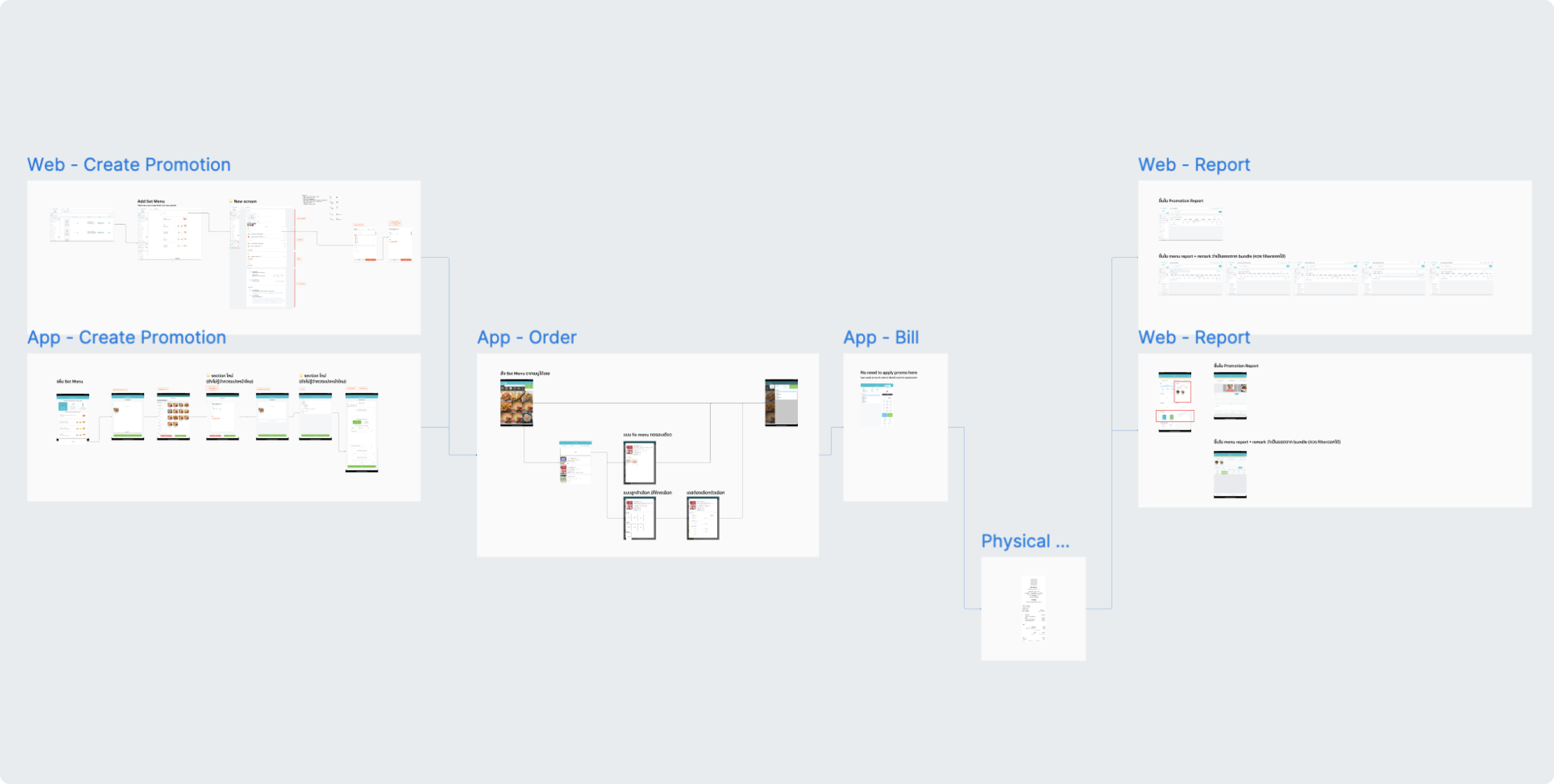
Before starting to design, I created an end-to-end workflow, from back-office to storefront, to see the overall picture of all touchpoints and see how each platform affects the others.
IDEATION
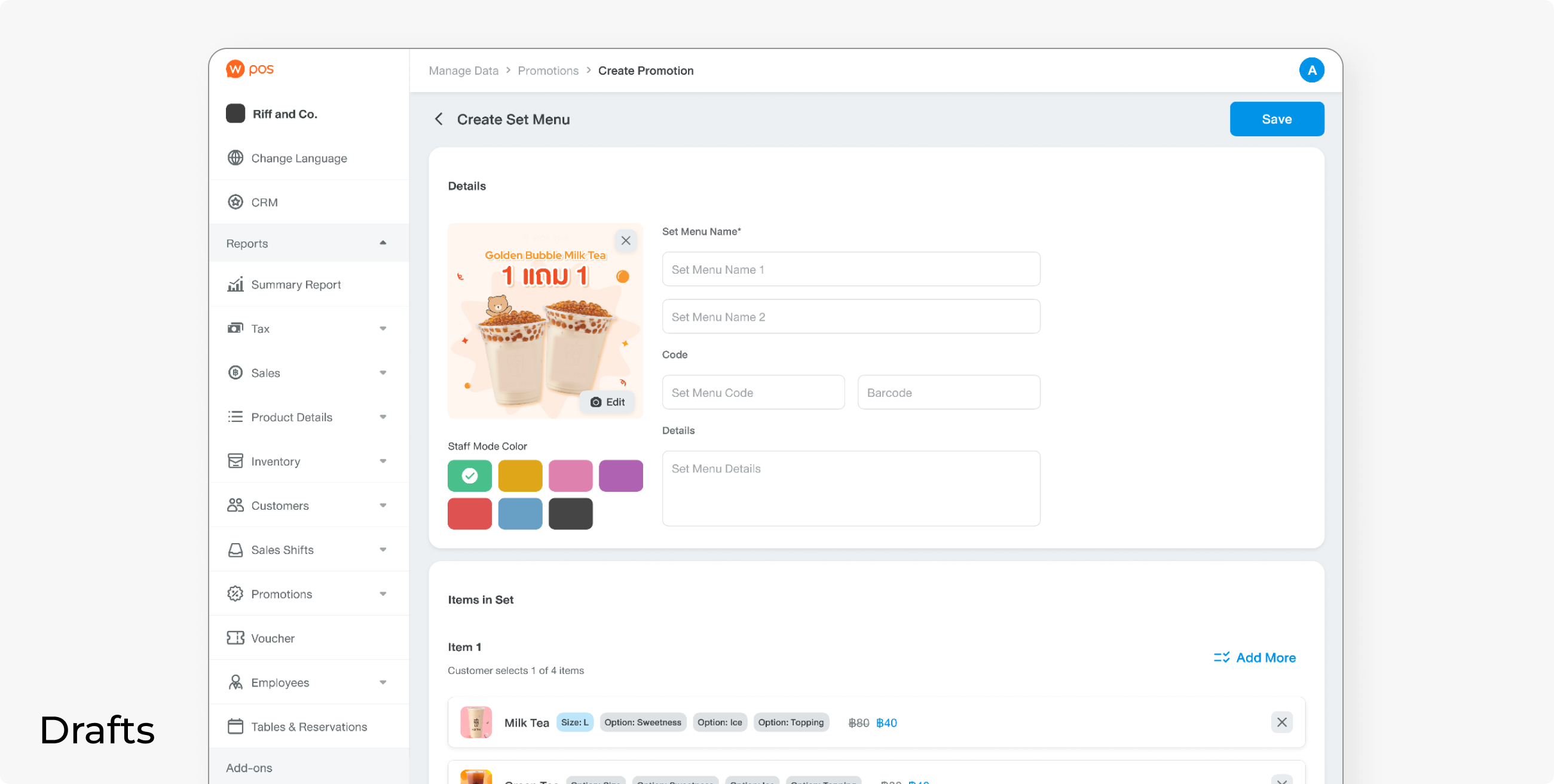
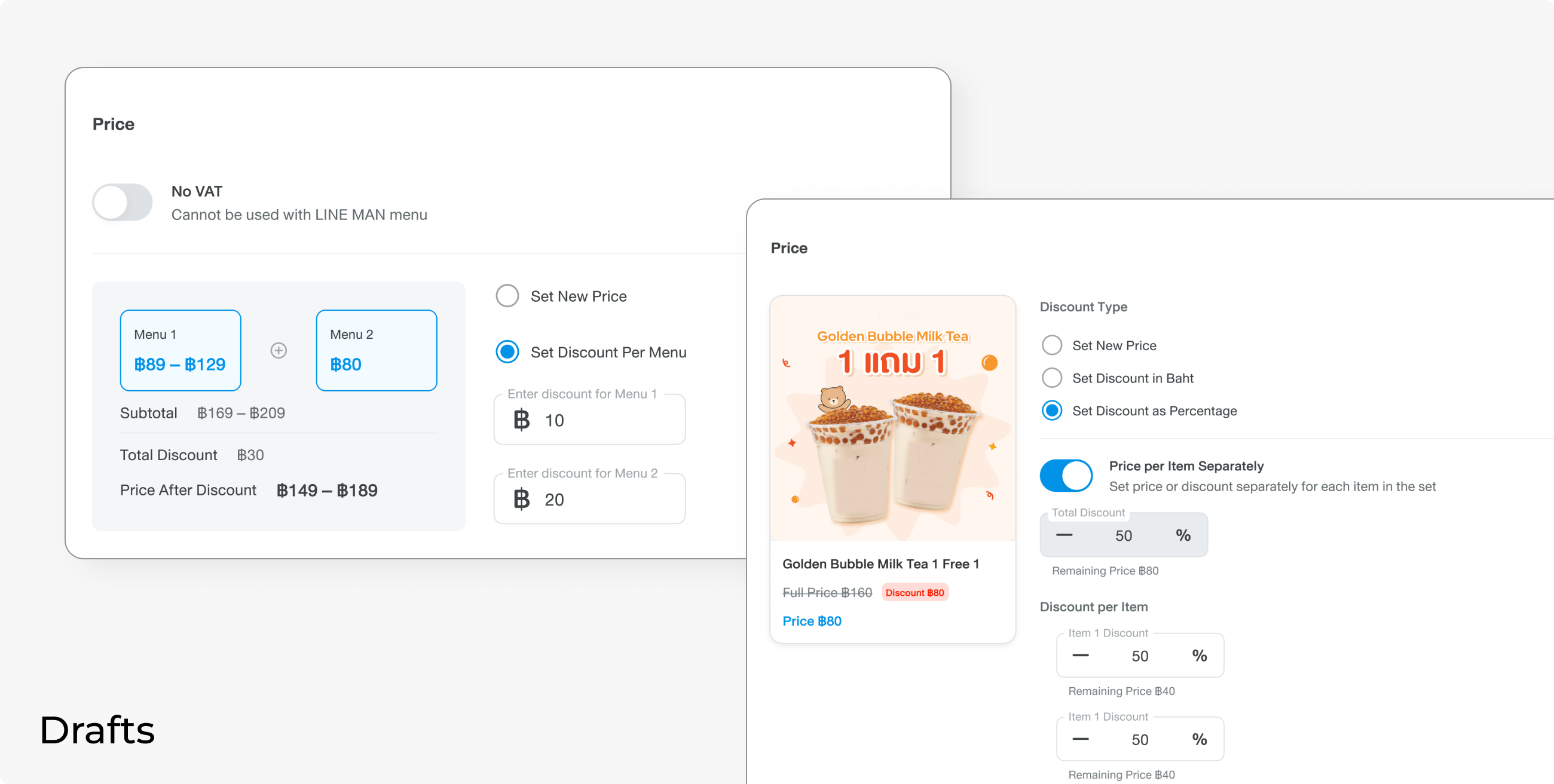
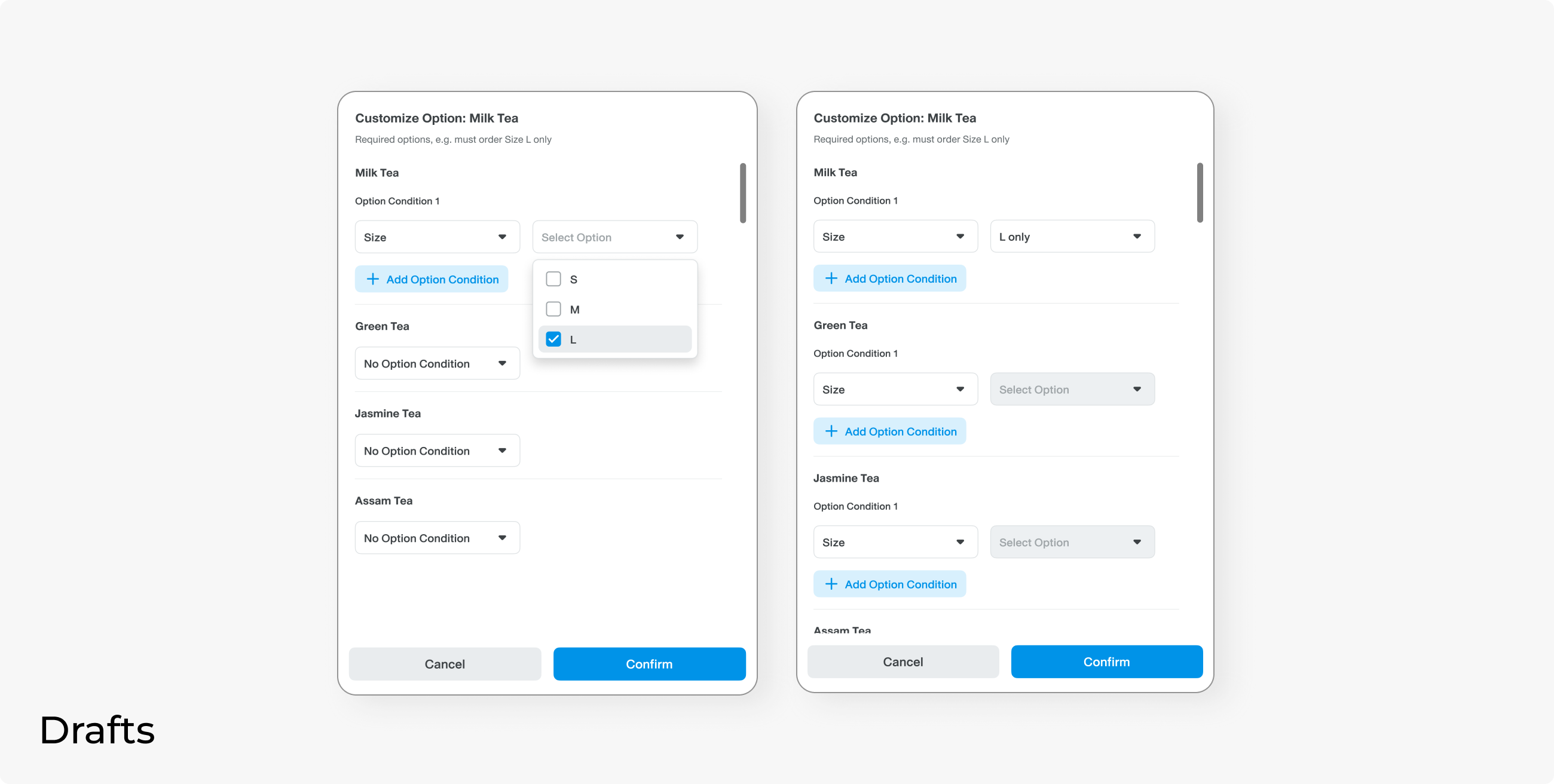
Before we ended up with an MVP solution, I had designed the new set menu flow as a new feature. This was rejected as it required more effort to build a new feature entirely than to add a function to an existing one.
These drafts use a different design system than the as-is Web Owner. This is due to the company consolidation. All new features should use WNDS, but it was marked as out of scope in this project because of the limited resources. (Read more: Design System Migration)
DESIGN
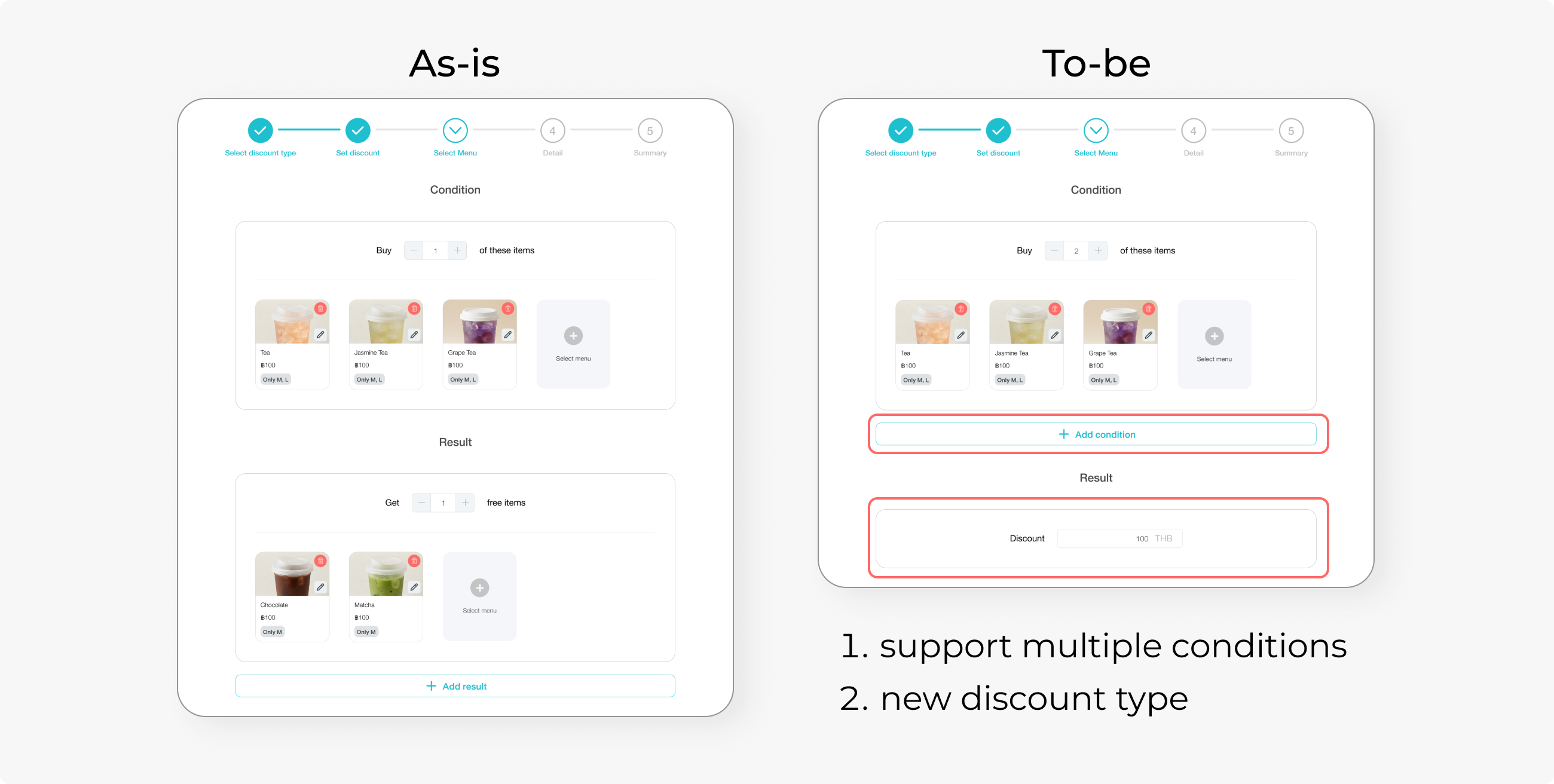
We used the “Buy X get discount” as a base feature and designed an additional function instead. Here’s how we approach each feature requirement.
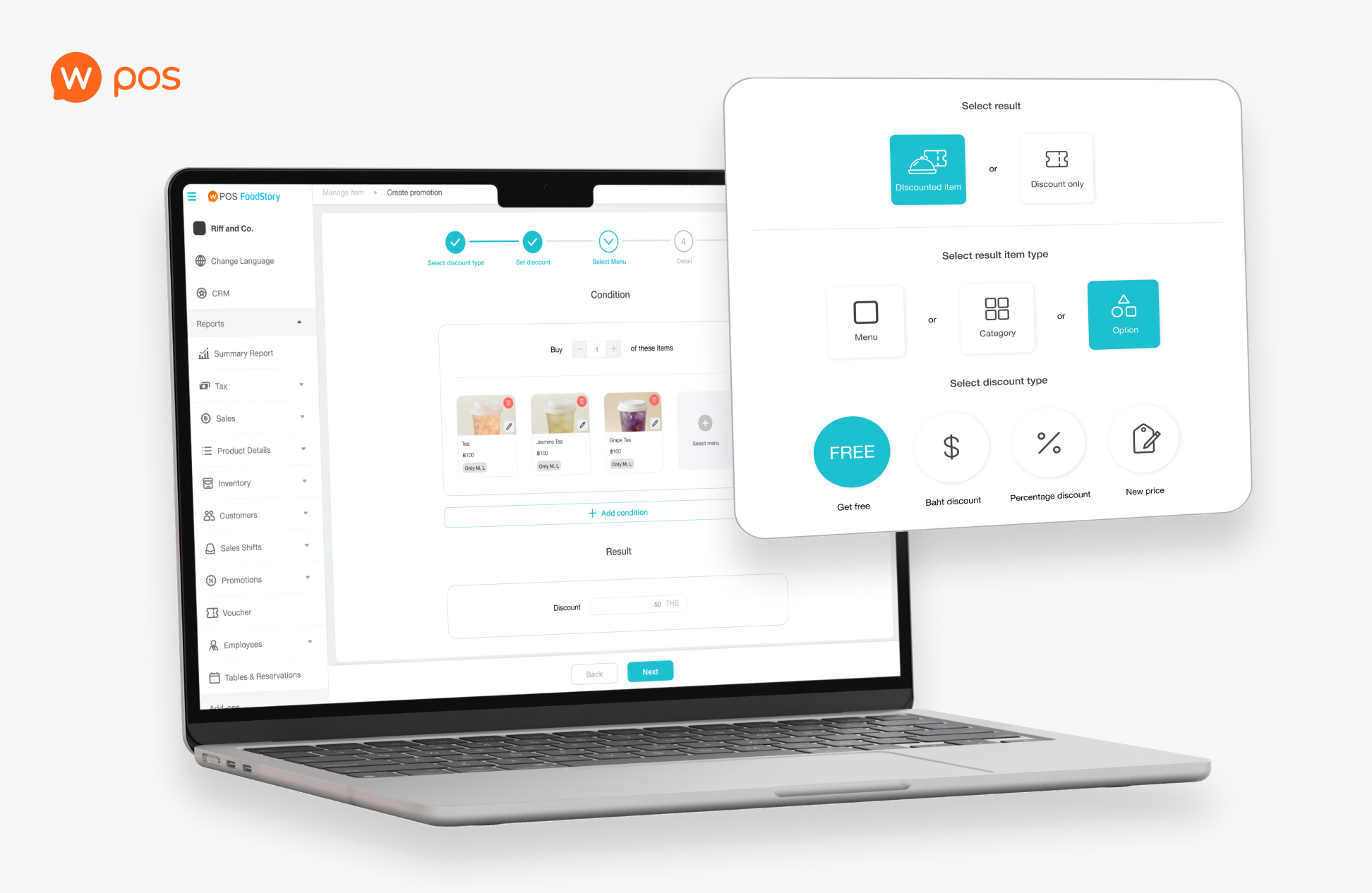
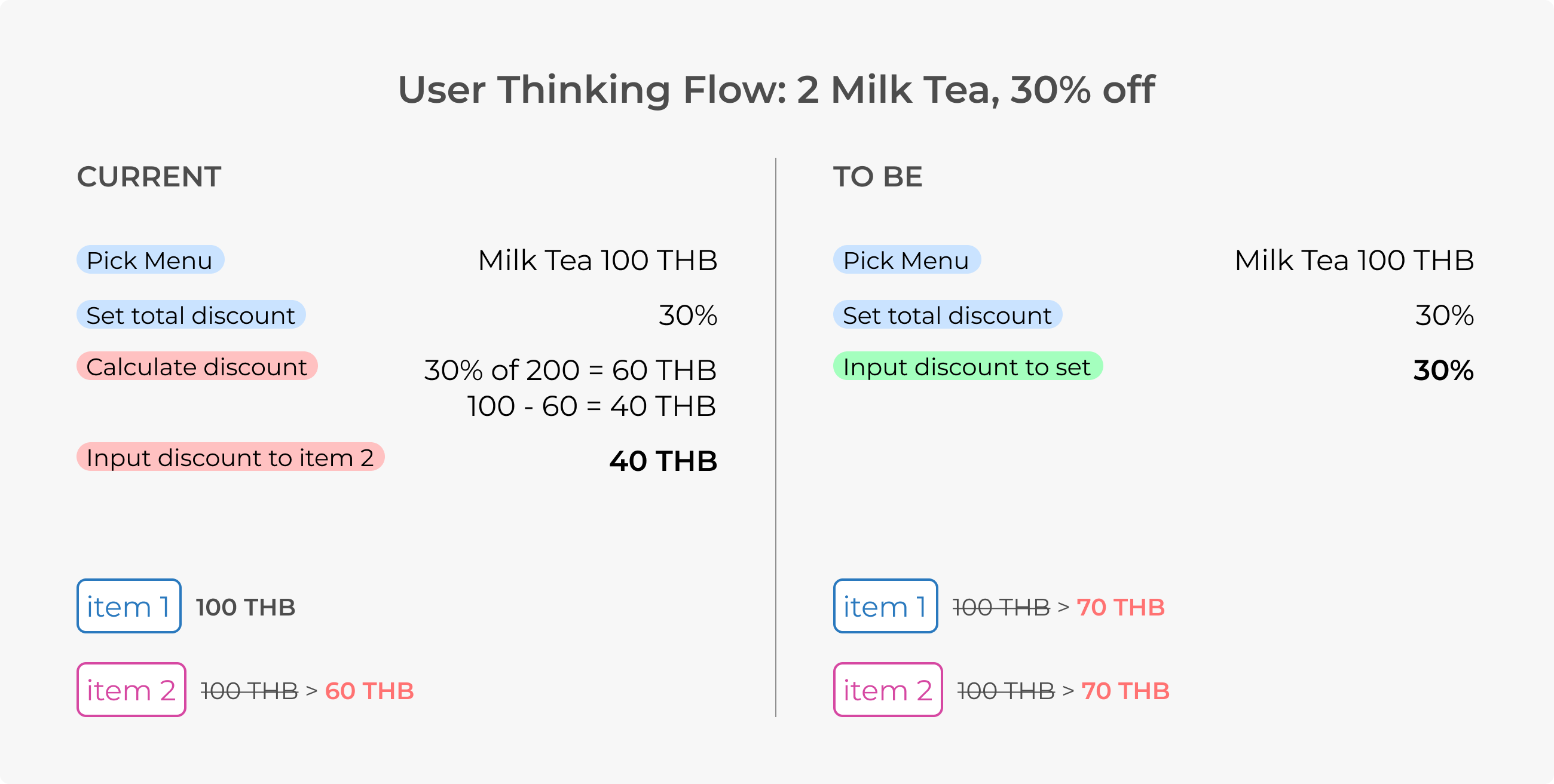
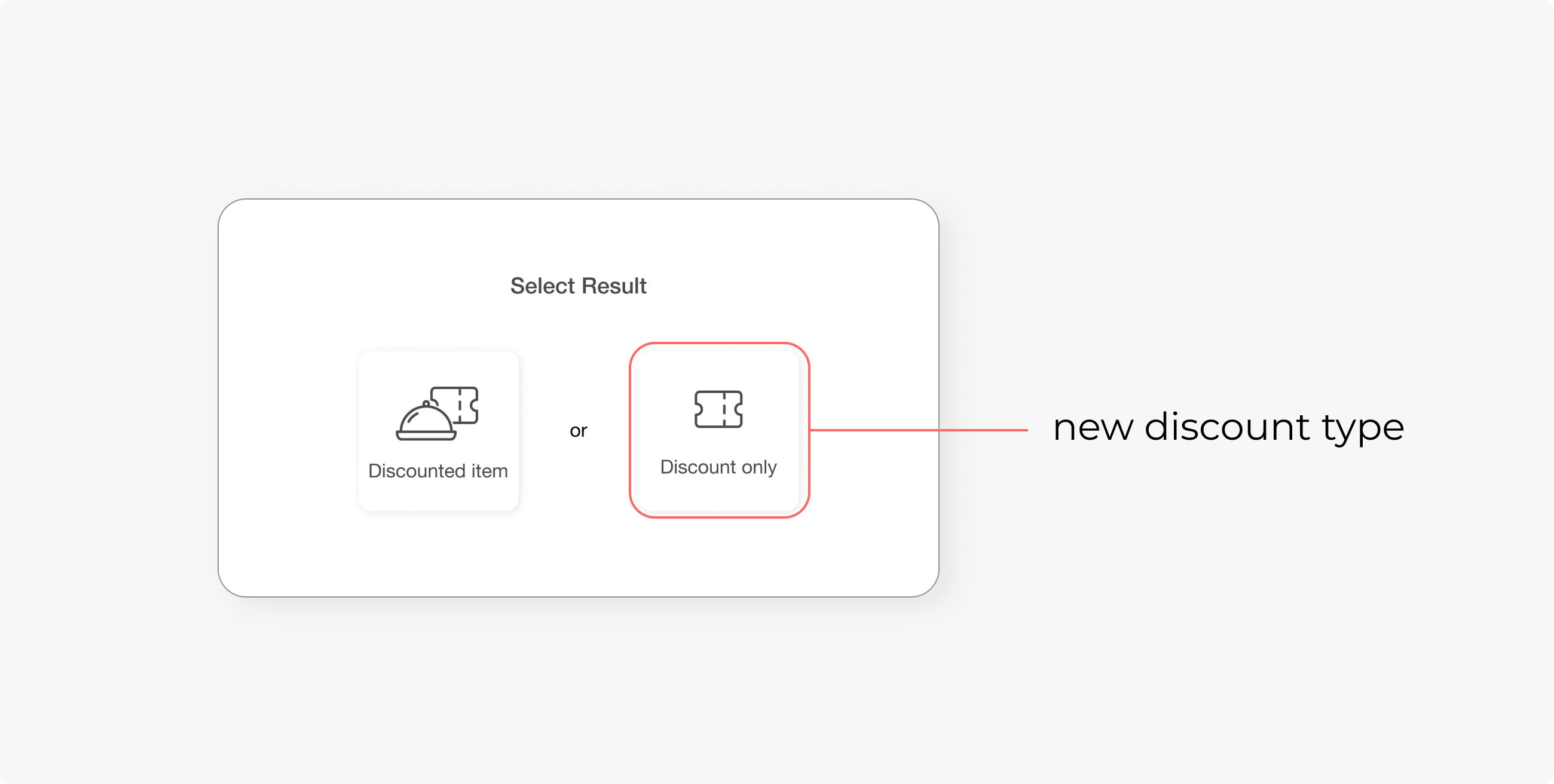
I added a new discount type, called "discount only". The discount is distributed to all items, not just one like before. This may not be the best practice for a feature entry point, but it is the most valid spot to add a new discount type in this MVP circumstance.
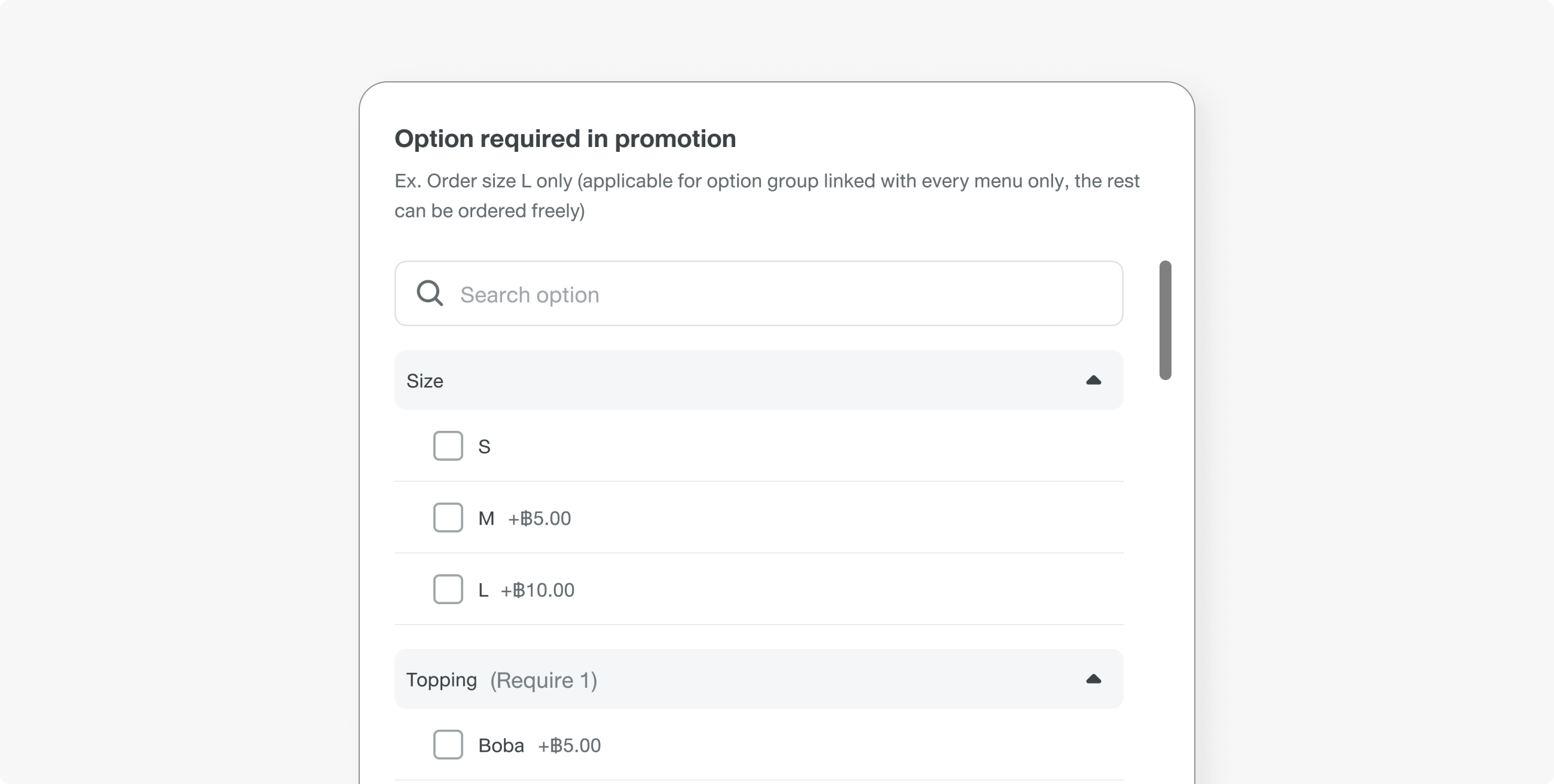
We added one step after selecting the menu to set up the option requirement for that promotion.
The challenge with this popup is defining what the selection represents and setting the right default. At this step, the merchant must choose between two use cases:
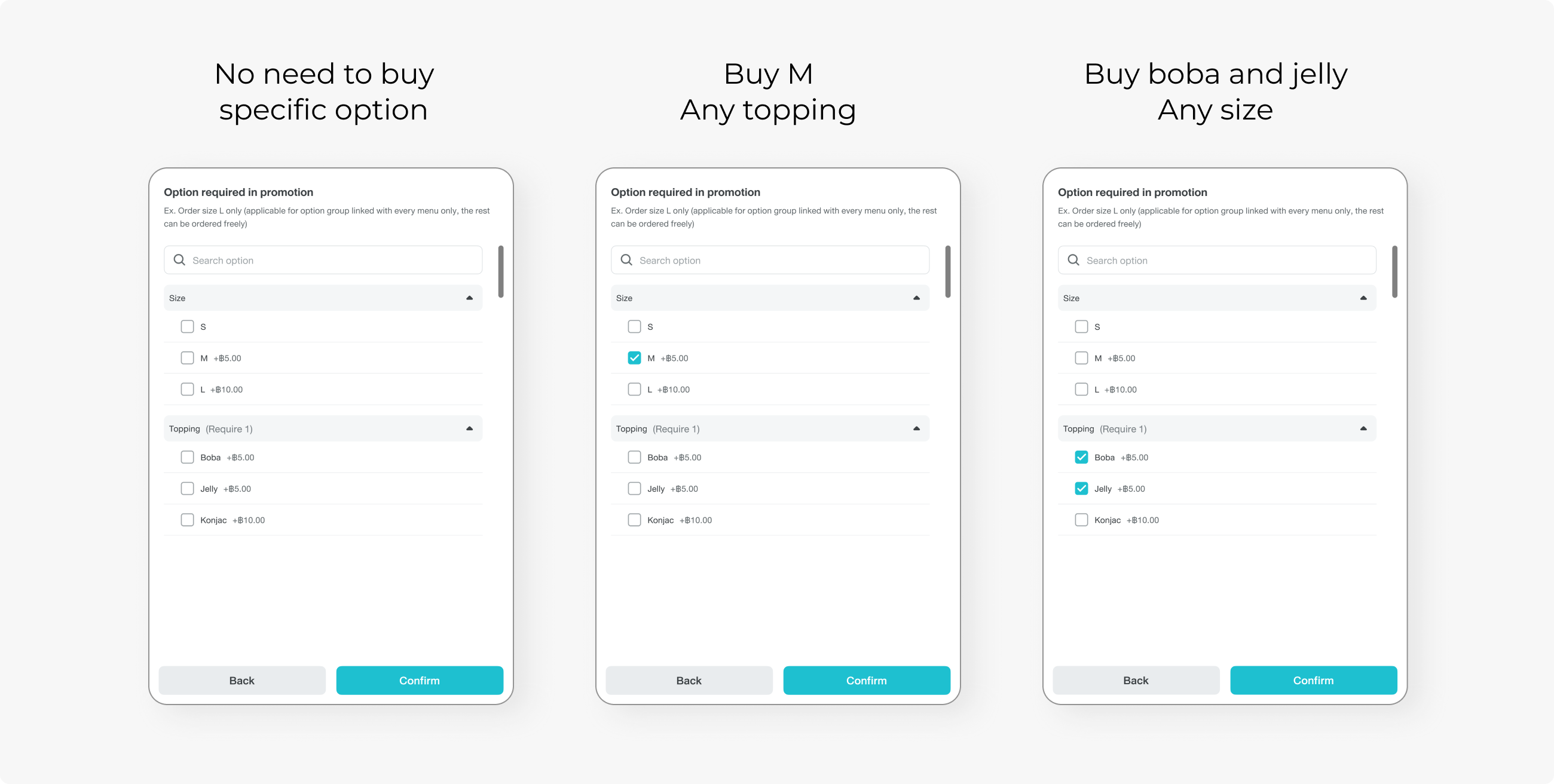
- Customer needs to order a specific option: Buy Size L only to get the promo
- Customer can order any option or none: All options are applicable to promo
By default, promos have no option requirements. Merchants can add them if needed, or just skip the step.
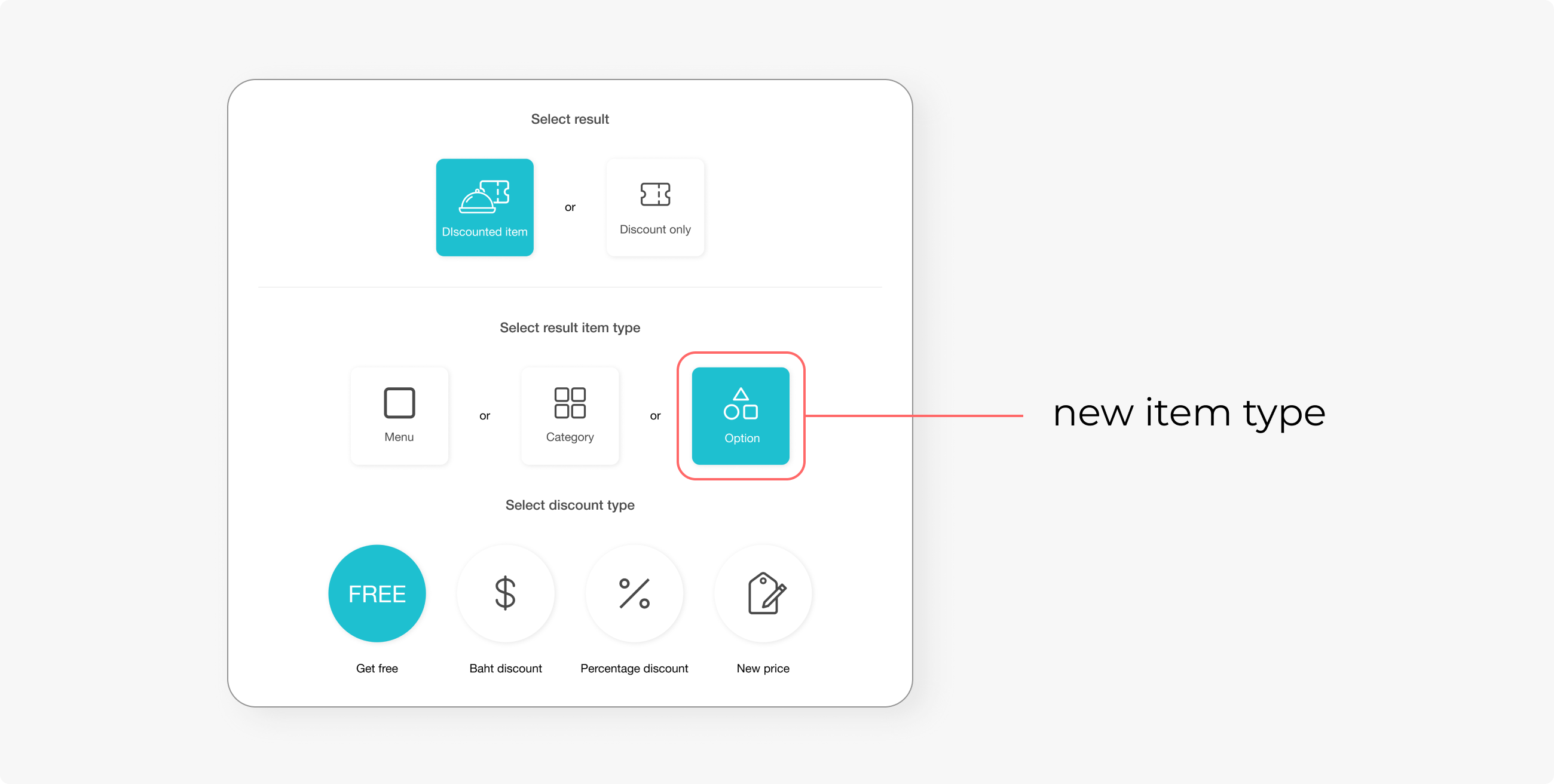
“Option” was added as a new type of promotional item. After selecting a menu, merchants can pick any options that are linked to the selected menu. Common promos are, for example, free toppings or a free upsize.
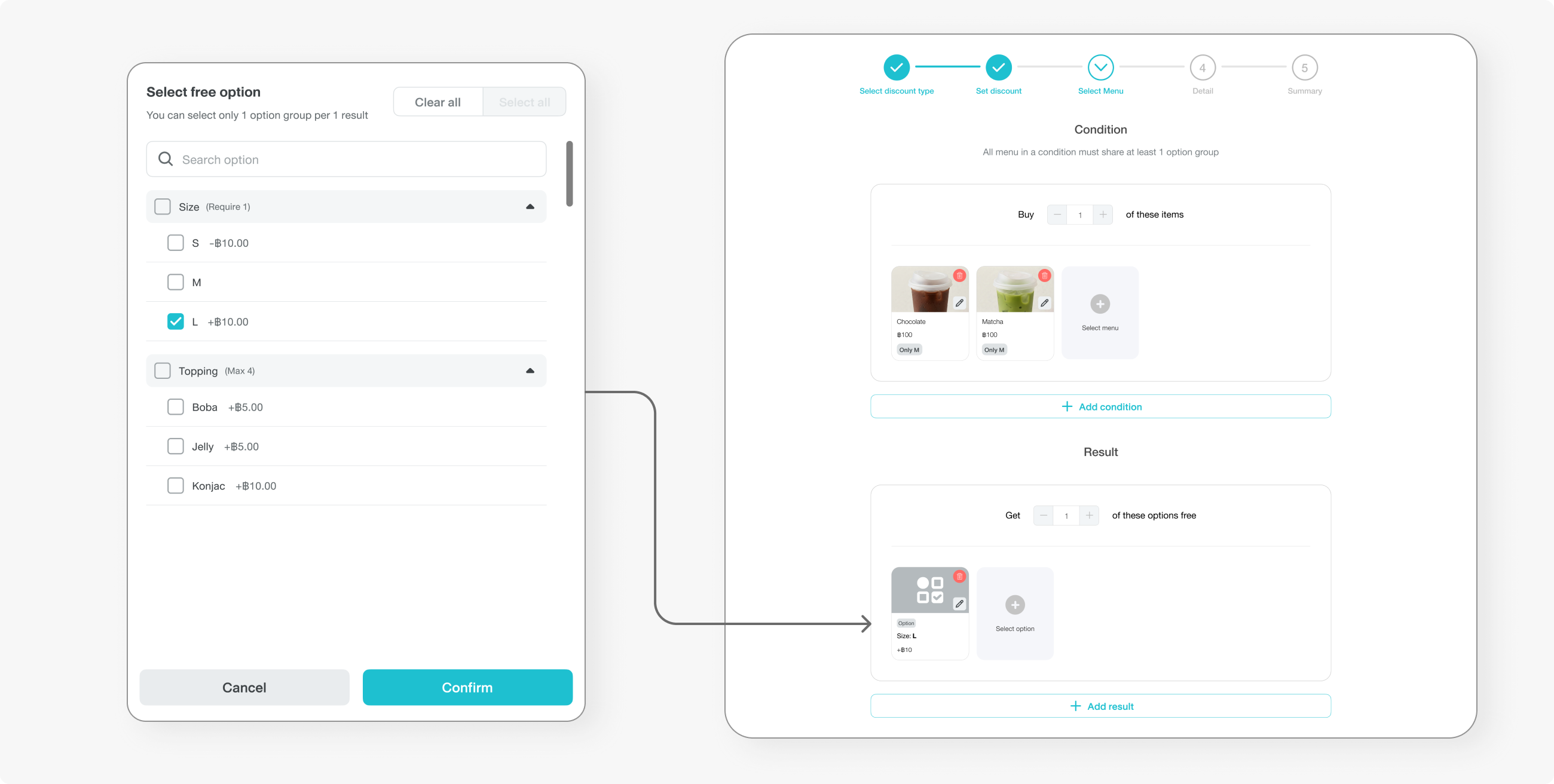
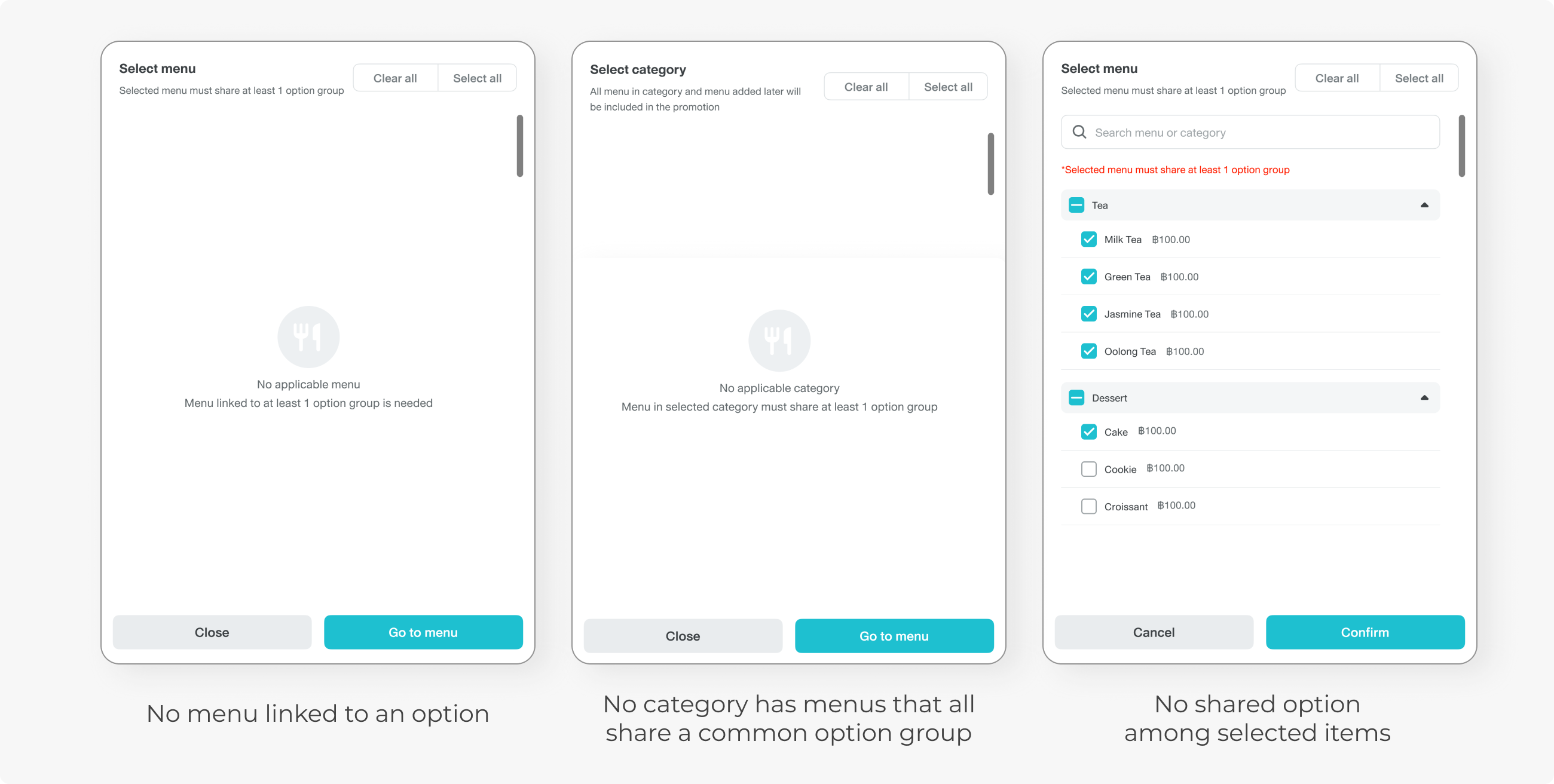
There are cases to handle thoroughly; for example, all menu choices in the promo must share at least one option. There might be cases when menus have no options in common, or categories have no menu with options in common
CHALLENGE
Web Owner was initially a FoodStory product. Upon the consolidation with Wongnai, all products needed to change to Wongnai design system (WNDS). The main challenge was how we would handle this transition, as the whole interface revamp would take too much effort.
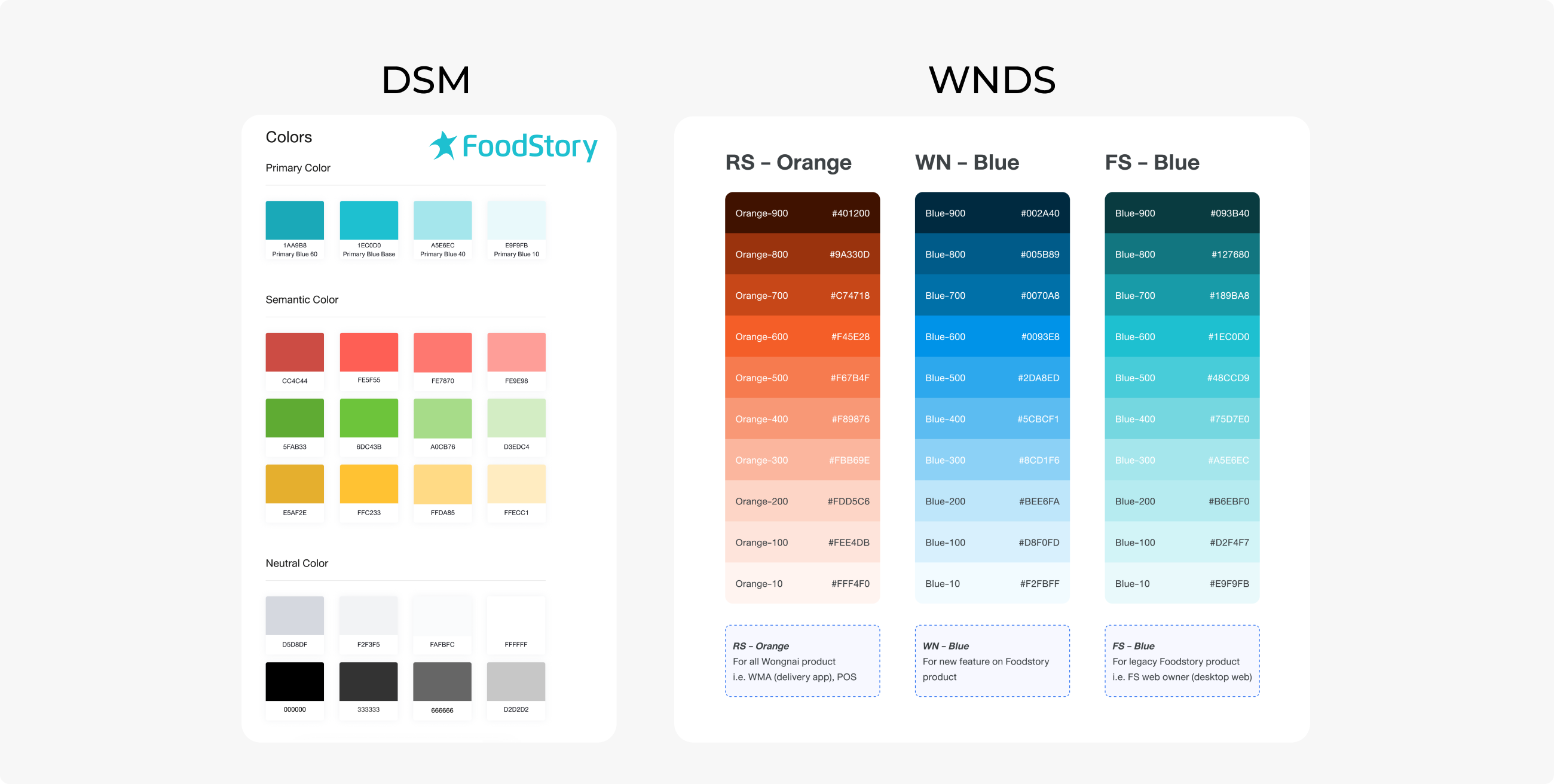
The design team has established a guideline: Use WNDS with a new feature while existing pages stay the same. To ensure visual consistency and avoid rework, we still use FoodStory blue colours for the entire product until the colour change in the rebrand project is implemented. (Read more: Design System Migrtion)
The timeline was very tight, as we already committed to the merchant that the feature would be ready by a certain date. Some features were cut off, which affected the user experience. The most challenging part was to compact the whole feature into an MVP version.
I need to be very thorough about handling all cases and ensure designs do not conflict with each other. The new function must not break existing features. This was the time I learned that user behaviour and familiarity are crucial and need to be taken into consideration when improving existing products.
CONCLUSION
That is the end of the back-office flow. Now the merchant can create a set menu without having to use a workaround method. Next, we need to allow storefront staff to order a new type of promotion, which involves POS design. Continue Part 2 : Set Menu POS